
How to clean and restore old videos with Vmake AI
 22 December 2025
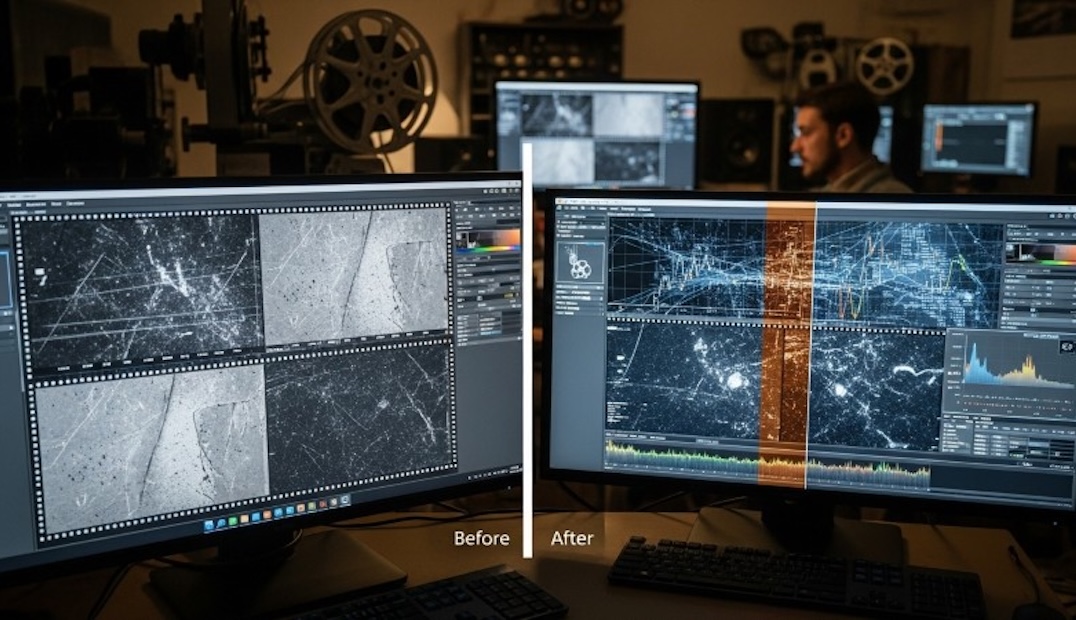
Many people have that dusty box of unlabelled tapes. They hold personal history, but time is cruel. Magnetic tape rots, and old flip-phone clips look like blocky messes on today’s 4K screens. Nostalgia is expected; instead, the result is a headache.
Restoration used to cost a fortune. Now, tools like Vmake AI can make a notable difference. It acts as an automated assistant that reduces grain and upscales footage in a small amount of time. It even clears up screen clutter, serving as an nline watermark remover to wipe away timestamps or logos. The memory remains in focus, not the digital noise.
The technical reality of old footage
VHS tapes have 240 lines, but modern 4K TV demands 2,000. The screen bridges the gap by stretching pixels, turning the image into mud. Early digital files suffer from a different rot, an aggressive compression that leaves behind blocky artifacts and “mosquito noise.” Standard sharpening filters are useless here; they just amplify the defects.
Restoration requires a delicate balance. The goal is to remove noise without stripping away texture. This is where manual editing often fails for the average user. Adjusting curves and levels frame by frame is simply not practical for a two-hour home movie.
How Vmake helps improve video quality?
The current generation of restoration tools uses a different approach. It doesn’t just crank the contrast; it actually interprets the image. Vmake AI nails this niche, delivering professional results without forcing users to master a complex editing suite.

The video enhancer fills in the blanks. It’s smart enough to smooth out sky grain while keeping a building’s edge razor-sharp. It even distinguishes between soft candle smoke and distinct eyelashes. Bringing 480p footage up to 4K removes that digital distance, allowing the viewer to stop squinting at pixels and start watching the memory. It brings the moment closer.
Cleaning up the audio without extra work
Visuals are only half the equation. In fact, bad audio is often more distracting than bad video. Old camcorders were notorious for picking up wind noise, the whirring of the camera’s own zoom lens, and background static. When you turn up the volume to hear a conversation, you turn up the hiss along with it.

Restoration involves isolating the human voice from the environmental noise. Vmake includes a “Noise Reducer” feature within its audio toolkit. This function scans the audio track to identify consistent frequencies associated with hums and static. It then suppresses those frequencies while preserving the dynamic range of the speech. The result is a cleaner, more intimate sound.
Remove distracting elements with Vmake AI
Physical degradation isn’t the only issue. Many people are now retrieving “old” videos that are actually early digital uploads, like clips saved from old social media accounts or trial versions of editing software used years ago.
This is a specific use case where Vmake’s specialised removal tools come into play. The platform offers a “Video Watermark Remover” and a “Video Text Remover.” Unlike simple blur tools that leave a smudge on the screen, these tools analyse the pixels surrounding the unwanted object. They fill in the gap with texture and colour consistent with the background. If a video of a school play is ruined by a large camcorder timestamp in the corner, this tool can remove it. If a backup of a wedding video was downloaded from a platform that added a logo, it can be cleaned away. The footage is restored to its intended state: a window into the past, not a billboard for a defunct tech company.
Give old videos a fresh new look
Quality sorted? Now tackle the format. Old footage is a 4:3 square; the phone’s screen is a rectangle.That mismatch often leaves the image reduced in size and surrounded by black bars, making details harder to see.
Vmake’s “Agent” capability allows for intelligent reframing. The system can be directed to adapt the footage to different uses. The original square format can be preserved for archiving, while alternative versions can be cropped for sharing. The editor fills the phone screen while keeping the subject centred, making the footage easier to watch in modern contexts.
Furthermore, context is often lost over time. Who is that cousin in the background? What year was this beach trip? Vmake’s “Auto Captions” and text editing features allow to add context layers back into the video. It’s possible to add subtle subtitles identifying the date and location. Because the tool supports dynamic styles, these captions can look modern and professional, turning a raw clip into a produced mini-documentary that is engaging for younger family members to watch.
A step-by-step guide to restoring old videos using Vmake
If you a stack of digital files is ready for clean-up, the process with a tool like Vmake is straightforward. It moves away from the complex, distinct tracks of traditional editors.
1. Assessment and upload
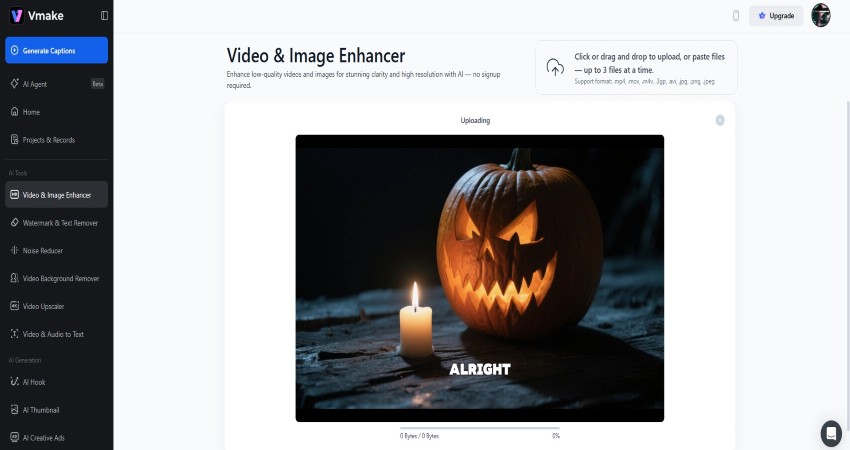
Start by organising the files. Identify the ones with the worst grain or lighting issues. Upload the raw file to the Vmake platform. The browser-based nature of the tool means you do not need to install massive software packages that slow down the computer.
2. Enhance the video
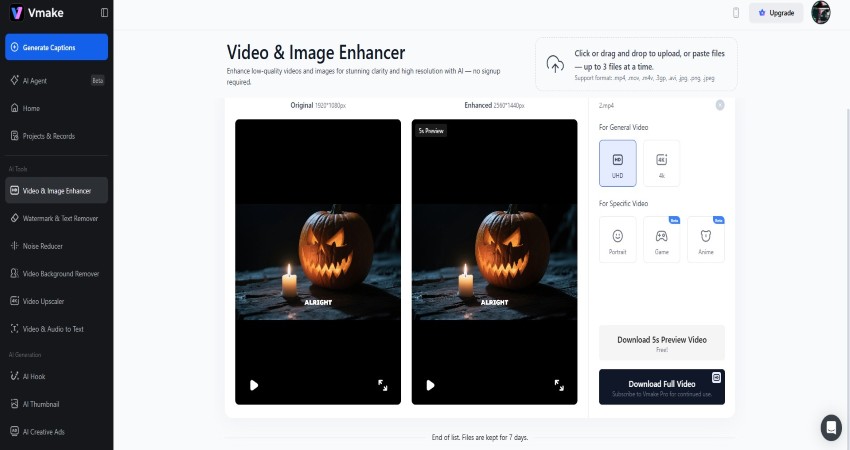
Run the footage through the AI Video Enhancer. Be realistic. It won’t turn a blurry night shot into a blockbuster, but it will stabilise the shake and kill the noise. Just check the preview to ensure faces don’t look waxy.
3. Audio scrubbing
If the video has a loud background hum, apply the Noise Reducer. Listen specifically to the quiet moments in the video to ensure the silence sounds natural, not digital or robotic.

4. Editorial trimming
Home movies are famous for being too long. There is usually five minutes of footage of the floor or the inside of a lens cap. Use the editing interface to trim the fat. The “Chat-to-Edit” command structure allows to move quickly. It’s possible to simply look for the moments of action and cut the rest.

5. Final steps
Sharing this? Don’t let the cover be a blurry mess. Use the thumbnail tool to grab a clear face, then download the high-res file to lock it in for good.
Final verdict
Hard drives fail, Files corrupt, but the real urgency is that people age. Restoration isn’t technical; it’s emotional. Scrub the static and close the gap between then and now. That laugh sounds immediate again.
The software is just the vehicle; the destination is reconnection. These tools allow personal archives to be carried forward, not as dusty dumps of content, but as living moments. Don’t let the medium rot the memory. Polish it, save it, and pass it on.
The editorial unit























Facebook
Twitter
Instagram
YouTube
RSS